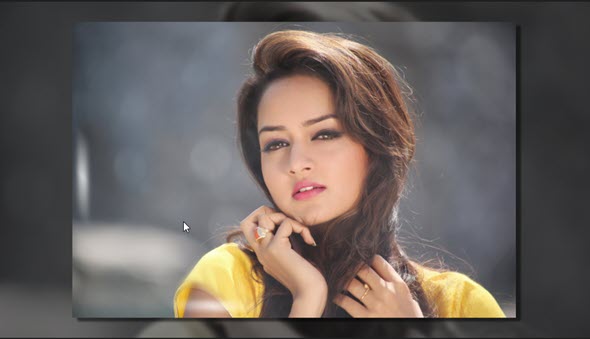
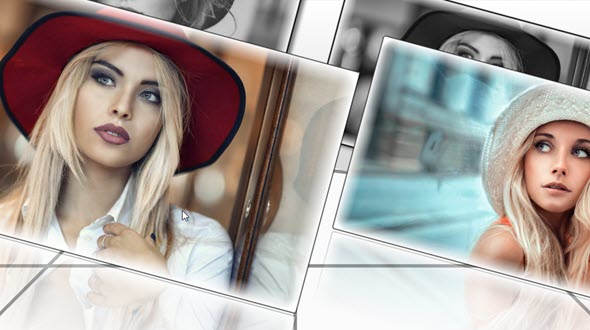
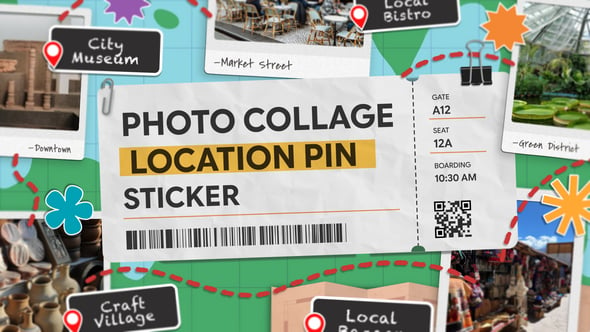
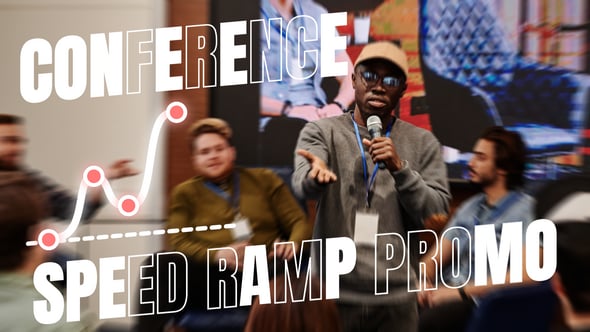
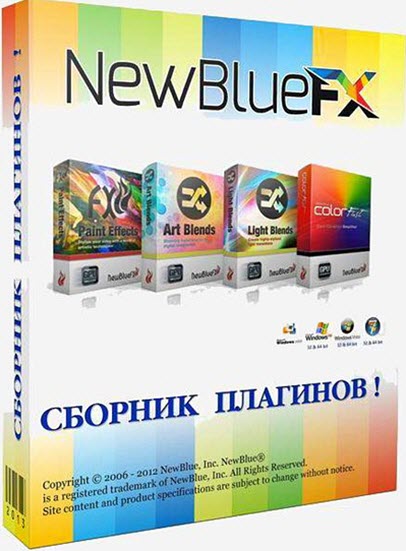
Total FX — мощный пакет подключаемых модулей (плагинов) к вашему видео-редактору, включающий в себя безграничный набор инструментов для работы с видео — от работы с титрами и цветокоррекции до сотни различных фильтров и пресетов динамических переходов. Пакет включает более чем 200 плагинов и более 2000 пресетов, с практически безграничными творческими возможностями для обработки отснятого материала.
Содержимое пакета:
• 3D Blow Apart — Break, burst and shred between scenes with this action-packed plugin.
• 3D Bouncing Frames — Animate your scene transitions by adding bouncing frames within a picture.
• 3D Checker Board — Shuffle, collapse and stack one scene away, then introduce the next.
• 3D Fly Away — Minimize a scene into a shrinking box that floats and spins into the next.
• 3D Grid Explosion — Smash, splinter and shatter an image to reveal the next scene underneath.
• 3D Intensity Grid — Expand 3D objects across the screen, then crumble to reveal the next clip.
• 3D Louvers — Blend, flip and bounce between clips for transitions with dimensional range.
• 3D Sliced Cubes — Layer cutouts of the next clip over the previous one.
• Active Camera — Simulate camera movements to imitate a jittery hand-held camera.
• Air Brush — Airbrush your scene by smoothing colors while maintaining sharp edges.
• Alpha Processor — Manipulate alpha channel assets and create countless looks.
• Aspect Ratio — Remove unnecessary video borders to create new aspect ratios.
• Auto Contrast — Boost colors in your image, creating a more vibrant and colorful picture.
• Auto Pan — Zoom in and out on stills or video to highlight a moment or object.
• Background Generator — Create a soft, magnified backdrop of your original image.
• Bleach Bypass — Transform your digital video into an antique film.
• Cartoonr Plus — Transform your video into an animated illustration. (Effect)
• Cartoonr Plus — Transform your scene transitions into animated illustrations. (Transition)
• Charcoal — Transform a video into a drawing with the rough details of a charcoal sketch.
• Chroma Key Pro — Remove solid colors easily and convert them to alphas or create outlines and shadows.
• Color Fixer Pro — Fix color balance, saturation and brightness to produce the perfect image.
• Color Replace — Change the color of different objects without harshing the raw details.
• Color Wash — Wash away colors from one scene to blend and shift to the next.
• Colored Pencil — Simulate a drawing at the end of one scene that morphs into the next.
• ColorFast — Create perfect videos with the ultimate color correction and color grading tool.
• Colorize — Experiment with the colors of your image and dramatize your picture.
• Crop Borders — Remove unnecessary video borders to create new aspect ratios.
• Cut Away — Use various shapes and outlines to magnify a selected region.
• Day for Night — Make your daytime footage look like it was filmed at night.
• Detail by Chroma — Focus on a color region, then sharpen the detail and boost the contrast.
• Detail By Luma — Separate your image into High and Low regions to sharpen, recolor and edit.
• Detail Enhancer — Sharpen image details by strengthening and darkening lines and edges.
• Diffusion — Add a soft glow to your footage to change the color and focus of your image.
• Dream Glow — Create effortless light by amplifying lighter regions with a soft glow.
• Drop Shadow — Create a shadow for overlays on any keying effect or animated matte.
• Duochrome — Create retro and metallic-looking images with 2 chrome-like colors. (Effect)
• Duochrome — Create colorfully retro and metallic images with 2 chrome-like colors. (Transition)
• Earthquake — Simulate the motion of an earthquake by blurring, jolting and rattling your image.
• Edge Smoother — Soften edges of text and graphics to produce polished titles and pictures.
• Film Color — Modify color and adjust lighting to recreate the classic look of film.
• Fish Eye — Distort images to simulate the look of an ultra-wide fishbowl lens.
• Flash Remover Pro — Capture live events without worrying about distracting camera flashes.
• Flicker — Create natural lighting, such as firelight or reflecting water.
• Flying Picture-in-Picture — Create a picture-in-picture that adds emphasis to scenes without keyframing.
• Frame Rate — Convert live footage into a dynamic sequence of photos.
• Gamma Corrector — Sharpen details and boost your image’s color, saturation and warmth.
• Garbage Matte — Limit the area on your image where other effects in the chain can display.
• Glow Pro — Create a warm glow using the highlights in your original image. (Effect)
• Glow Pro — Create soft sources of light, then harshen them to morph into the next scene. (Transition)
• Gradient Fill Pro — Manipulate, boost, or completely alter the color of both your image and text.
• Gradient Tint — Intensify the colors of your picture with a variety of filters.
• Halovision Plus — Re-create the look of bokeh lighting with a halo of light around objects in your image.
• Halovision Plus — Use halo-like auras around objects from one clip to blend your scenes together.
• Hand Drawn — Create dark lines layered over vibrant colors, transforming your video into a hand-drawn sketch.
• Image Mapper — Simulate screens and overlay video on top of objects.
• Impressionist — Create a colorful abstract painting out of your video.
• Legal Level — Use this frame-by-frame warning for out of spec areas within your video.
• Lens Correction — Correct lens distortion to improve quality, or add it for a fisheye view.
• Letterbox — Frame your video appropriately with these preset borders.
• Light Ring — Swallow a scene with a circle of light and burst into the next.
• Liquify — Morph one image to reveal the next for a fluid transition.
• Luma Key — Manipulate lighting to blend an overlaying clip into a backdrop.
• Metallic — Create colorfully retro and metallic-looking images with two chrome-like colors. (Effect)
• Metallic — Replace colors with glitzy golds, icy silvers, rustic coppers and more. (Transition)
• Mosaic — Transform your video into a mosaic by creating sequences of tiles.
• Mural — Manipulate color patterns and focus to turn your picture into a solid shaded painting.
• Neon Lights — Create colorful pockets of light by enhancing the edges of your video frame.
• Neon Lights — Merge scenes by outlining objects in your video with bands of neon light.
• Noise Reduction — Remove harsh noise in the image, especially in old, analog video.
• Oil — Transform your video into an oil painting using virtual paintbrushes and adjustable colors. (Effect)
• Oil — Give scene transitions the vivid color and fluid texture of an oil painting. (Transition)
• Old TV — Manipulate your footage to recreate the look of classic tube televisions.
• Outline — Create multicolored glows around text, objects, or people.
• Paper Collage — Remake your video into layers of colored strata.
• Paper Collage — Blends between two clips as it builds the video image from layers of colored paper.
• Pencil Rubbing — Virtually sketch over the objects in your video.
• Pencil Rubbing — Draw a sketch over your video template with virtual smudges, lines and ink.
• Photon Blast — Smeared rays cast through images to wash away one scene and fade into the next.
• Picture Grid — Create a variety of different frames within your picture.
• Picture-in-Picture — Add 3D geometry, borders, shadows and reflections to selective clips within your video.
• Picture-in-Shape — Layer one scene over another within a flexible four-point mask.
• Pixelator — Obscure faces, license plates, logos and more using colored blocks.
• Plasma Glow — Transition from one scene to the next with a dynamic shimmering blast of light.
• Progressive Stretch — Format your video into widescreen without sacrificing image quality or black sidebars.
• Proportion Helper — Use these preset templates as a guide to creating professional compositions.
• Quick Pixelator — Blur certain objects or people within your video without tedious keyframing.
• Reflection — Create and control a mirrored reflection of your image.
• Region Scope — Zoom in or select a specific region to inspect all forms of information.
• RGB Shift — Separate the red, green, and blue elements within an image to create an edgy look.
• RGB Shift — Separate red, green and blue objects, then shake them into the next image.
• Roll — Create the look of camera film rolling over a projector.
• Rolling Waves — Simulate the effect of water washing over your video by warping your scene into waves.
• Saturation EQ — Separate the color spectrum to choose colors you want to enhance.
• Saturation Modifier — Separate your image into saturated regions to correct each area.
• Scanner — Shift in and out of scenes with a fluorescent beam of light.
• Selective Color — Focus on one color in an image, then make everything else black and white.
• Selective Focus — Blur the surroundings of a region, object, or person to highlight it directly.
• Selective Tint — Define certain regions, then adjust and change their tint.
• Selective Touch Up — Smooth or blur specific regions to remove subtle imperfections.
• Shake — Jolt, rattle and pulse from clip to clip for dramatic progression.
• Sharpen — Refine your video's image and enhance its definition.
• Shear — Smear your scene in diagonal directions.
• Shear Energy — Create a shear, blended motion effect by blurring the image on two axes.
• Shiny Fog — Blur a scene into a chrome-like fog that vanishes to reveal the next.
• Shredder — Create artistic scene transitions by cutting your image into patterns.
• Sketch — Draw lines and edges artfully to blend scenes together.
• Skin Touch Up — Soften wrinkles and remove blemishes without retouching an entire image.
• Smear — Scrub an image into a blurred picture that sharpens into the next scene.
• Soft Focus — Blur regions of video to smooth harsh lighting, lines, or blemishes.
• Split Screen — Display two shots at once with a variety of preset options.
• Spotlight — Overlay a specific region onto a preset backdrop to spotlight it.
• Stabilizer — Eliminate shaky footage using a powerful analyzer to get a smooth, jitter-free video.
• Tile — Replicate your video into a grid-like wall.
• Tilt Shift — Create depth of field in your video to spotlight a particular region.
• Time Clock — Choose from a variety of presets to overlay a running timer on your screen.
• Tint — Adjust the color balance and completely transform your video.
• Titler Pro 3 — Design titles, lower thirds and rolling credits in your preferred NLE.
• Traveling Rays — Move from one scene to the next with bright beams of shining light.
• Twirl — Twist and swirl images into a blur that unravels to reveal the next scene.
• Video Tuneup Plus — Use versatile color and luminance controls to refine contrast, hue and saturation.
• Viewfinder — Simulate the on-screen display of a video camera recording.
• Vignette — Use these preset vignettes to creatively frame your video.
• Warp — Distort the objects and colors with blurred lines and simulated camera movements.
• Water Color — Soften colors and blur edges of objects to give a smooth, fluid look. (Effect)
• Water Color — Soften colors and blur edges of objects in your video to morph two scenes. (Transition)
• Wave — Create fun and effortless scene transitions that melt, ripple and warp.
• Wiggle — Warp and distort your image with a fun-house mirror style.
• Zoom — Blur and pan rays dramatically across the scene to move between cuts.
• Zoom Blur — Dramatically pull into video, creating the effect that you’re flying into the screen.
Titler Pro — пакет плагинов для популярных редакторов видео, с помощью которых вы сможете быстро и эффективно создать великолепные профессиональные анимации текста. Это новое решение для создания 2D- и 3D-титлов, разработанное для профессиональных видео-редакторов, которое сочетает новаторскую эффективность оригинального Titler Pro и добавляет потрясающую визуальную привлекательность и изысканность. Нет больше необходимости создавать графические названия в других программах — Titler Pro 2 даст вам быстрый доступ к сложным анимациям и профессиональным стилям напрямую в вашем видео-редакторе, улучшая и упрощая рабочий процесс.
eFX Essential Tools — это великолепный пакет полноценных видео плагинов, являющийся необходимыми инструментами для каждого видео-редактора и позволяющий с легкостью создавать динамические визуальные истории. Вместе с NewBlue eFX вы можете создавать виньетки, корректировать цвета, разделять экран, сглаживать кожу, избирательно фокусировать объекты, делать эффект старого TV и многое другое. С более чем 500 пресетов в 60 плагинах, этот пакет включает в себя: Video Essentials I, II, III, IV, V, VI и Video Essentials VII.
cFX Creative Effects — пакет плагинов для популярных видео-редакторов, включающий в себя пять творческих коллекций, которые помогут вам раскрыть свой творческий потенциал. Используйте сотни встроенных пресетов и более 40 плагинов, помогающих превратить обычные кадры в визуально стимулирующее произведение видео-арта. Вы сможете воссоздать настоящий вид пленки, манипулировать лучами света, применить кисти виртуального художника и многое другое.
tFX Transition Effects — Пакет из 68 специализированных плагинов для создания в вашем видео-редакторе сногсшибательных, настраиваемых переходов от одной сцены к другой. Добавьте энергию в ваши сцены, меняя их формы в моменты переходов! Примените любой из 800 пресетов с безграничными настраиваемыми параметрами и легко и эффектно проведите зрителей от одной сцены к другой. NewBlue tFX Transition Series включает в себя: 3D Explosions, 3D Transformations, Art Blends, Light Blends, Motion Blends и Paint Blends.
ColorFast — представляет собой интегрированный модуль, который упрощает цветокоррекцию и градацию цвета, объединив их в один простой рабочий процесс. С Spectra Color Isolating Technology, вы получаете точный контроль над изменением цвета. Точная работа в отдельных регионах или создание нужного эффекта во всём видеоизображении. Вы получите художественный результат в самые сжатые сроки.
Совместимость с видео-редакторами:
• Adobe After Effects 5.0+ и выше
• Adobe Premiere CS6/6.5, CC
• Apple Final Cut Pro X
• Avid Media Composer & Symphony 6+
• Black Magic DaVinci Resolve 11+
• Grass Valley EDIUS 7
• Sony Vegas Pro 10+ (64-bit OpenX)
• Titler Standalone Host
Год выпуска: 2016
Язык интерфейса: ENG
Лечение: Patch
Платформа: Windows XP / Vista / 7 / 8 / 10 (x64)
Размер: 352,55 MB
|








 Статистика
  Администраторов: 1
  Забаненых: 0